AI in Webex
Submit to App Hub & Badging
Learn how to submit your agentic app for review to make it public on the Webex App Hub
This guide helps developers submit an already registered app to be made public on the Webex App Hub. By publishing your agentic apps here, you allow third-party applications to leverage your APIs securely.
anchorSubmit your App for review
anchorOnce you have registered your app on the developer portal, you have the option to submit your app to the App Hub via the details page of your app.
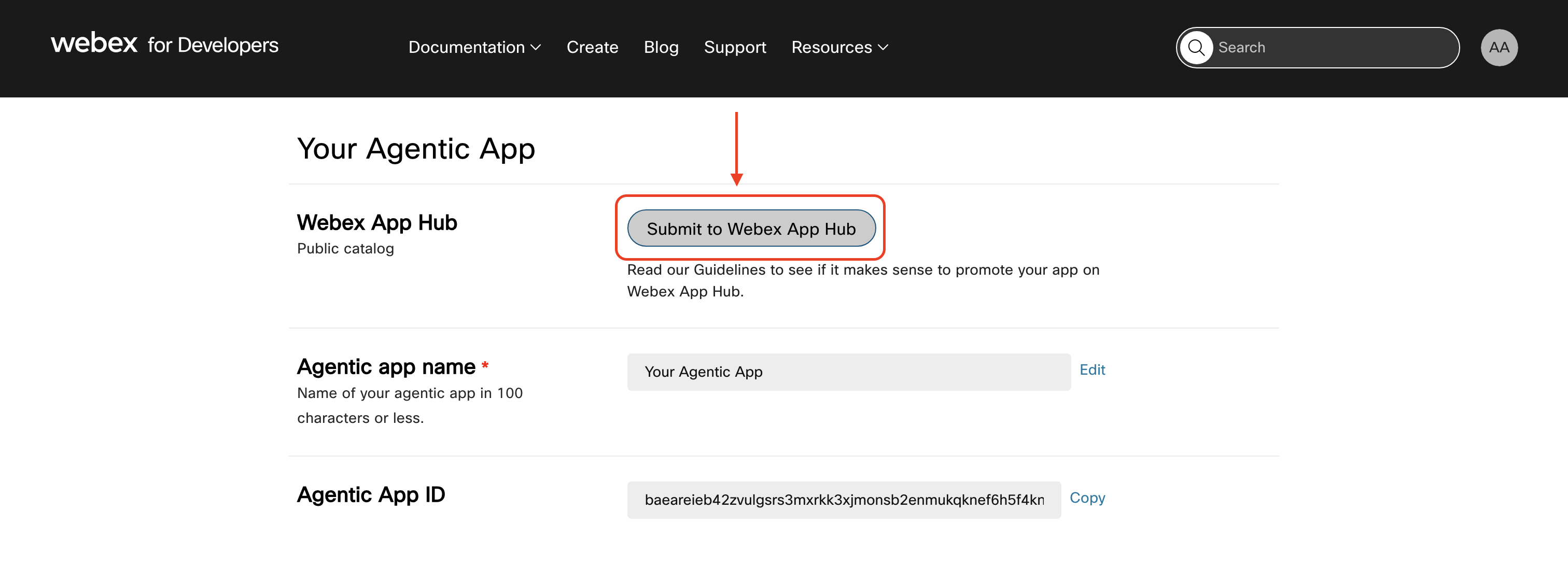
Clicking this button will open up a form that asks for the required details.
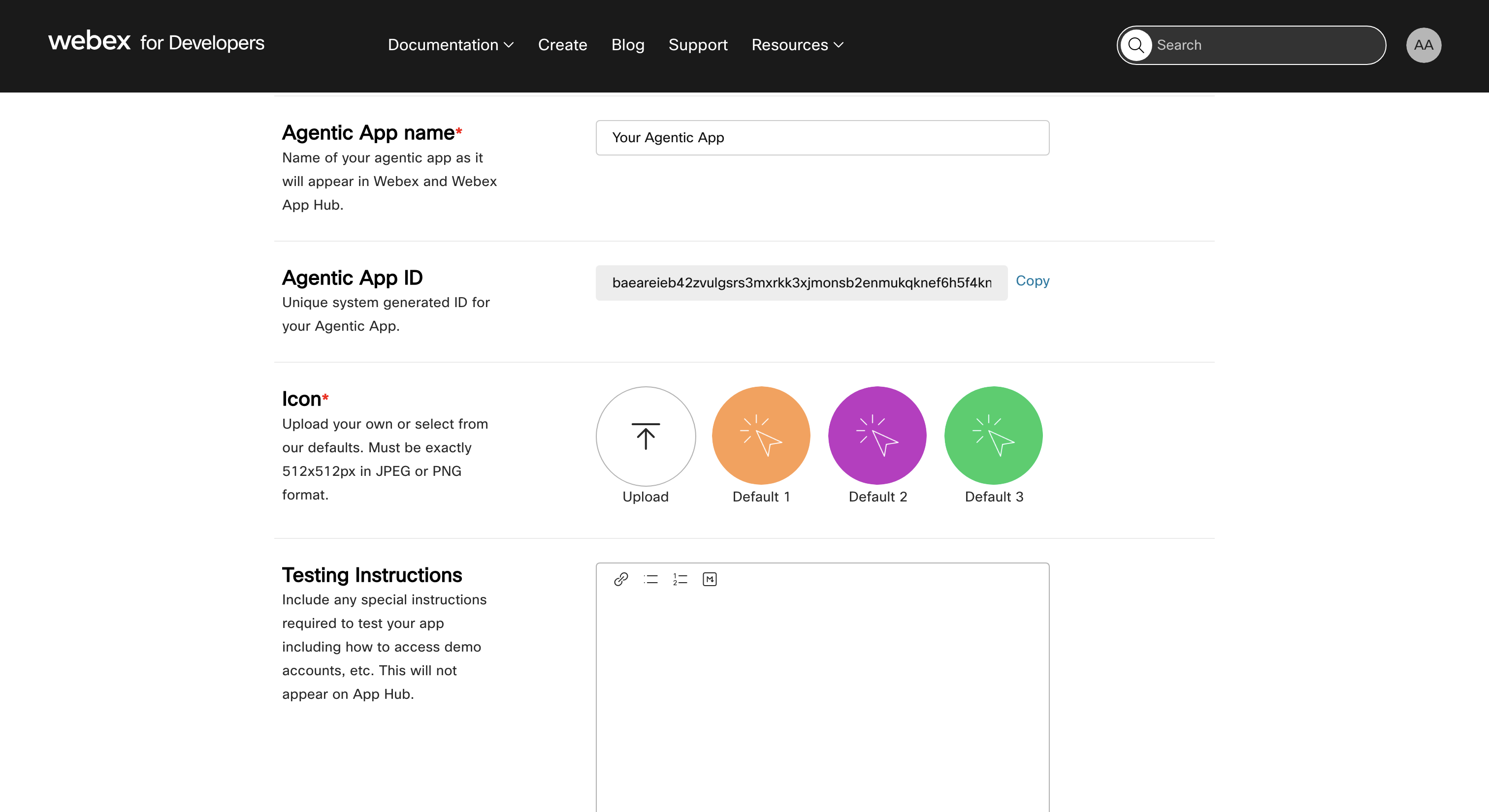
Ensure that you review the submission criteria while filling the required fields.
Once you have filled all the details, click on the submit button at the bottom of the page. Once submitted, your app will undergo review to see if it fits the criteria to be made public.
anchorBadging
anchorOnce approved, your agentic app will receive one of the following badges based on its certification level and origin:
Cisco Official (ciscoOfficial): Developed and certified by Cisco
This classification indicates that the application is developed and maintained by Cisco itself or its OEM partners. For developers, this means the app is a first-party offering with direct Cisco support and integration. Customers can trust these apps as they come from Cisco's own MCP servers, ensuring reliability and security.
Cisco Onboarded (ciscoOnboarded): Developed by a third-party and certified by Cisco
These are external MCP servers that have been certified by Cisco. Developers submitting apps under this classification have undergone Cisco's certification process, which validates the app's compatibility and security. Customers can expect these apps to meet Cisco's standards even though they are from external sources.
Partner Onboarded (partnerOnboarded): Developed by a Cisco Partner and reviewed by Cisco
This classification is for partner servers that have been reviewed by Cisco. Developers from Cisco partners have their applications reviewed to ensure quality and compliance. Customers can rely on these apps as vetted partner solutions that complement Cisco's ecosystem.
Developer Onboarded (developerOnboarded): Developed by a Developer and reviewed by Cisco
This category includes developer servers reviewed by Cisco. Independent developers or smaller teams have their apps reviewed for basic compliance and functionality. Customers can explore innovative or niche applications here, with the understanding that these have passed Cisco's review process.
Federated through Registry (federatedThroughRegistry): Developed by a third-party and imported from an External Registry
Applications imported from an external registry without manual review fall under this classification. Developers can publish apps more quickly but without Cisco's direct certification. Customers should be aware that these apps have not undergone Cisco's manual review and may vary in quality or support.