Introducing Media Forking for Webex Contact Center
November 12, 2026
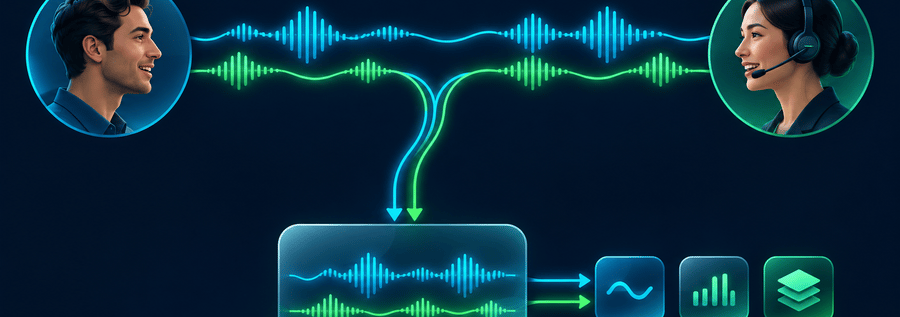
Media Forking gives developers and technology partners access to a live copy of caller and agent audio from Webex Contact Center. Your application receives the audio while the conversation continues and connects it to the speech recognition, analytics, or other processing services you choose.
A media stream carries the call’s audio. Forking sends a copy to an external application, called a receiver. That receiver is where your integration begins: it accepts the audio and passes it to your processing code or connected services.
anchorPut live conversations to work
anchorConsider an agent helping a customer understand an unexpected charge. An application could transcribe the conversation, search a knowledge base for the relevant billing policy, and display suggested information to the agent during the call. Afterward, it could use the transcript to prepare a summary for follow-up.
Other applications could identify recurring topics across conversations or save received audio for later processing. Transcription, summarization, suggested responses, and sentiment analysis are among the uses described in the Webex Help Center’s media-streaming guidance.
Media Forking supplies the audio and supporting metadata. Your application implements the processing and determines where the results appear. This gives customers and vendors a common connection model for building their own conversation workflows.
anchorConnect your application to the audio
anchorWebex Contact Center connects to your receiver over TLS using gRPC. The stream identifies caller and agent audio and includes conversation, participant, and audio-format metadata. Your application can process each side separately and associate its results with the corresponding speaker.
For an inbound caller-agent conversation, Flow Designer starts streaming after the agent answers, using Start Media Stream in the AgentAccepted event handler. The activity selects the authorized Service App as the media destination.
Your receiver validates Webex’s signed authorization token before processing audio. From there, you can connect the validated audio to your chosen services and manage the downstream work in your application.
anchorConnect your Webex Contact Center organization
anchorStart with the WebexSamples Node.js receiver and a Webex Contact Center organization with the Media Forking subscription entitlement.
The setup connects your organization, receiver, and call flow:
- Authorize the integration. Create a Service App with the data-source scopes and Media Forking schema. Have a Full Admin authorize it for your organization.
- Configure the receiver and registration. Prepare a publicly reachable gRPC endpoint with a trusted TLS certificate. Register it through the Data Sources API and configure the receiver with the corresponding organization and data-source bindings.
- Start streaming from your flow. In the inbound flow’s AgentAccepted event handler, add Start Media Stream and select the authorized Service App as the media destination. Validate and publish the flow.
- Verify a real conversation. Place a call through that flow and have an agent answer. Confirm that the receiver accepts authenticated streams, receives caller and agent audio, and completes processing when the call ends.
Once audio reaches the receiver, extend its audio handler to connect your speech recognition or analytics service. You can also enable optional WAV recording to inspect captured audio, with appropriate storage access and retention controls.
Read the Media Forking overview, then follow the implementation guide for registration, receiver configuration, and call-validation steps.